24c6706ab2
* Update Invoke-WinUtilSSHServer.ps1 * fix: correct ssh-agent restart, use USERPROFILE path, add sshd_config idempotency check * Cleanup for Invoke-WinUtilSSHServer.ps1 * Update Invoke-WinUtilSSHServer.ps1 * Merge branch 'ChrisTitusTech:main' into patch-2 * Update Invoke-WinUtilSSHServer.ps1 * Update Invoke-WinUtilSSHServer.ps1 * Merge branch 'main' into patch-2 * Update Invoke-WinUtilSSHServer.ps1 * typo |
||
|---|---|---|
| .github | ||
| config | ||
| docs | ||
| functions | ||
| lint | ||
| overrides | ||
| pester | ||
| scripts | ||
| tools | ||
| xaml | ||
| .gitattributes | ||
| .gitignore | ||
| Compile.ps1 | ||
| LICENSE | ||
| README.md | ||
| sign.bat | ||
| windev.ps1 | ||
Chris Titus Tech's Windows Utility



This utility is a compilation of Windows tasks I perform on each Windows system I use. It is meant to streamline installs, debloat with tweaks, troubleshoot with config, and fix Windows updates. I am extremely picky about any contributions to keep this project clean and efficient.

💡 Usage
Winutil must be run in Admin mode because it performs system-wide tweaks. To achieve this, run PowerShell as an administrator. Here are a few ways to do it:
-
Start menu Method:
- Right-click on the start menu.
- Choose "Windows PowerShell (Admin)" (for Windows 10) or "Terminal (Admin)" (for Windows 11).
-
Search and Launch Method:
- Press the Windows key.
- Type "PowerShell" or "Terminal" (for Windows 11).
- Press
Ctrl + Shift + Enteror Right-click and choose "Run as administrator" to launch it with administrator privileges.
Launch Command
Stable Branch (Recommended)
irm "https://christitus.com/win" | iex
Dev Branch
irm "https://christitus.com/windev" | iex
If you have Issues, refer to Known Issues or Create Issue
🎓 Documentation
WinUtil Official Documentation
YouTube Tutorial
ChrisTitus.com Article
🛠️ Build & Develop
Note
Winutil is a relatively large script, so it's split into multiple files which're combined into a single
.ps1file using a custom compiler. This makes maintaining the project a lot easier.
Get a copy of the source code. This can be done using GitHub UI (Code > Download ZIP), or by cloning (downloading) the repo using git.
If git is installed, run the following commands under a PowerShell window to clone and move into the project's directory:
git clone --depth 1 "https://github.com/ChrisTitusTech/winutil.git"
cd winutil
To build the project, run the Compile Script under a PowerShell window (admin permissions IS NOT required):
.\Compile.ps1
You'll see a new file named winutil.ps1, which was created by Compile.ps1 script. Now you can run it as admin, and a new window will pop up. Enjoy your own compiled version of WinUtil :)
Tip
For more info on using WinUtil and how to develop for it, please consider reading the Contribution Guidelines. If you don't know where to start, or have questions, you can ask over on our Discord Community Server, and active project members will answer when they can.
💖 Support
- To morally and mentally support the project, make sure to leave a ⭐️!
- EXE Wrapper for $10 @ https://www.cttstore.com/windows-toolbox
💖 Sponsors
These are the sponsors that help keep this project alive with monthly contributions.


🏅 Thanks to all Contributors
Thanks a lot for spending your time helping Winutil grow. Thanks a lot! Keep rocking 🍻.
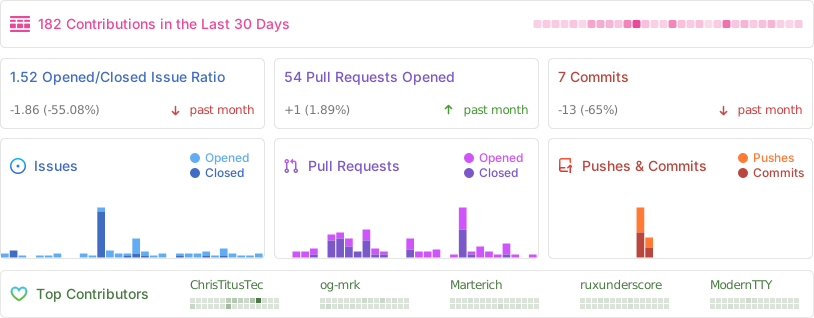
📊 GitHub Stats